
What's New in Complyance: Agents That Find, Collect, and Cross-Check Your Evidence
Proving a control or clearing a vendor usually starts with asking someone in the business for something. Sometimes it's a screenshot a control owner already sent in March. Sometimes it's an export from a system the GRC team can't pull from directly, or a SOC 2 report that has to be read against 200 questionnaire answers.
Every ask spends a little goodwill. A lot of the week goes into that legwork before anyone gets to make a decision.
Three Agents now take that legwork on. The Evidence Suggester finds the evidence you already hold. The Evidence Collector gathers what's still missing from your connected systems. The Vendor Risk Specialist, now expanded, checks each vendor questionnaire against the documents that come with it. You can watch all three at work in our latest Release Register below.
Reuse the evidence you already hold with Evidence Suggester
Evidence files are rarely named for the control they satisfy. The report that proves your anti-malware coverage might be sitting in Complyance as Q3_IAM_export_final_v2.xlsx, linked to a different framework's control. The screenshot of the console might be called Screenshot 2026-03-14. When the name gives nothing away, the fallback is asking the control owner to send it again.
The Evidence Suggester keeps a running index of the evidence already in the platform and reads what's inside each file, so even a vaguely named screenshot can be matched. For each control, it reads what the control asks for and recommends matching items, each with a short rationale for why it fits. You accept, reject, or refine each suggestion. Once a piece of evidence is linked, it can be matched to every other control it satisfies.
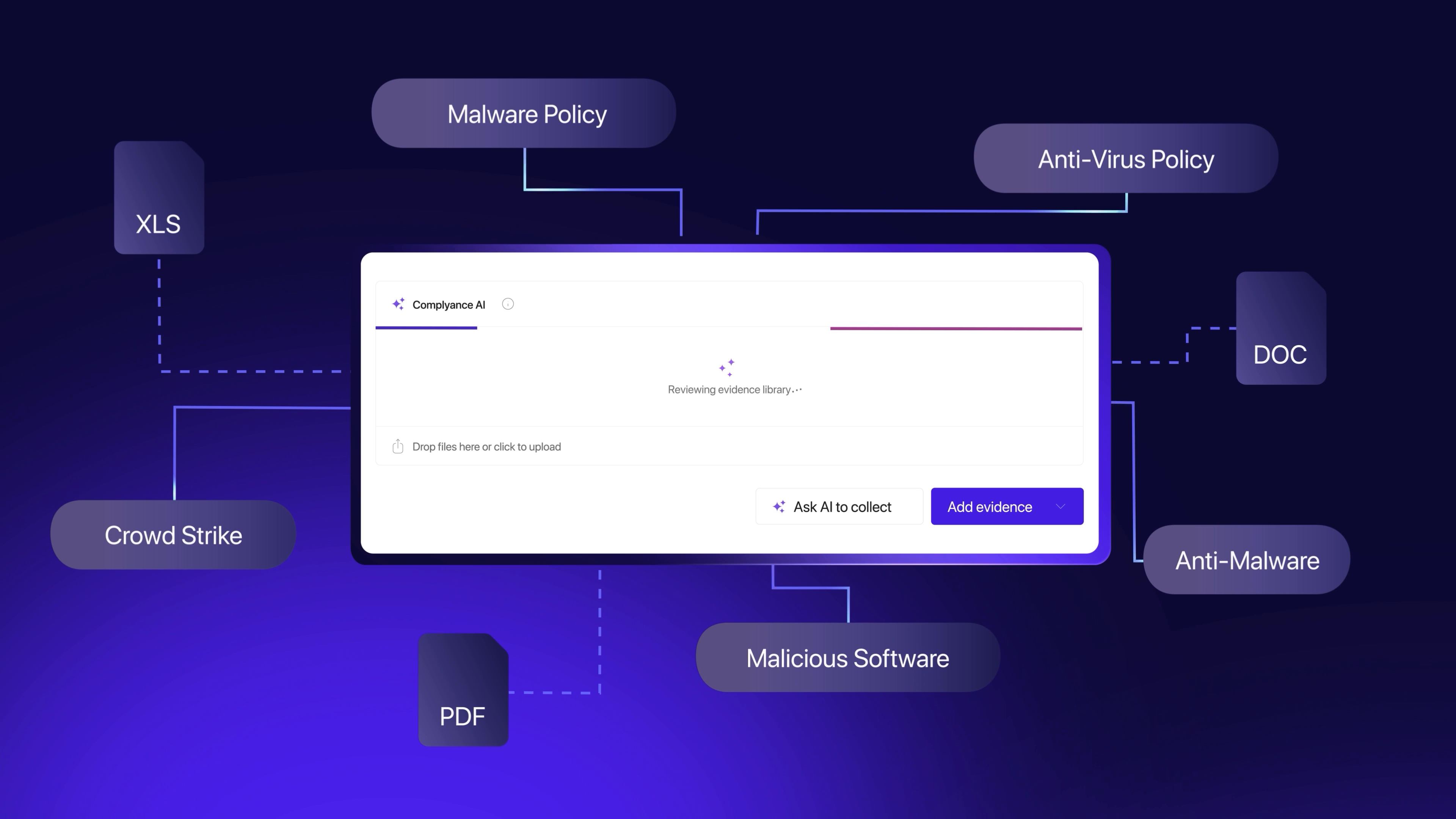
The rationale keeps the review quick. A reviewer can see why an item was suggested without opening the file to work it out. Someone new to the team can follow the same reasoning while they learn the control set.
Collect missing evidence at the source with Evidence Collector
Evidence that isn't in the platform yet usually arrives by request. By the time fieldwork starts, some of what came in early in the audit period has gone stale.
The Evidence Collector works from the control's requirements. It figures out what the control needs, checks your connected tools, such as CrowdStrike, Jira, SharePoint, and AWS for sources that meet it, and builds an evidence report showing what's covered and where the gaps are. You refine the scope in chat, save the evidence, and link it to the control. After that, the Agent collects again on the schedule you set, so evidence stays current across the audit period.
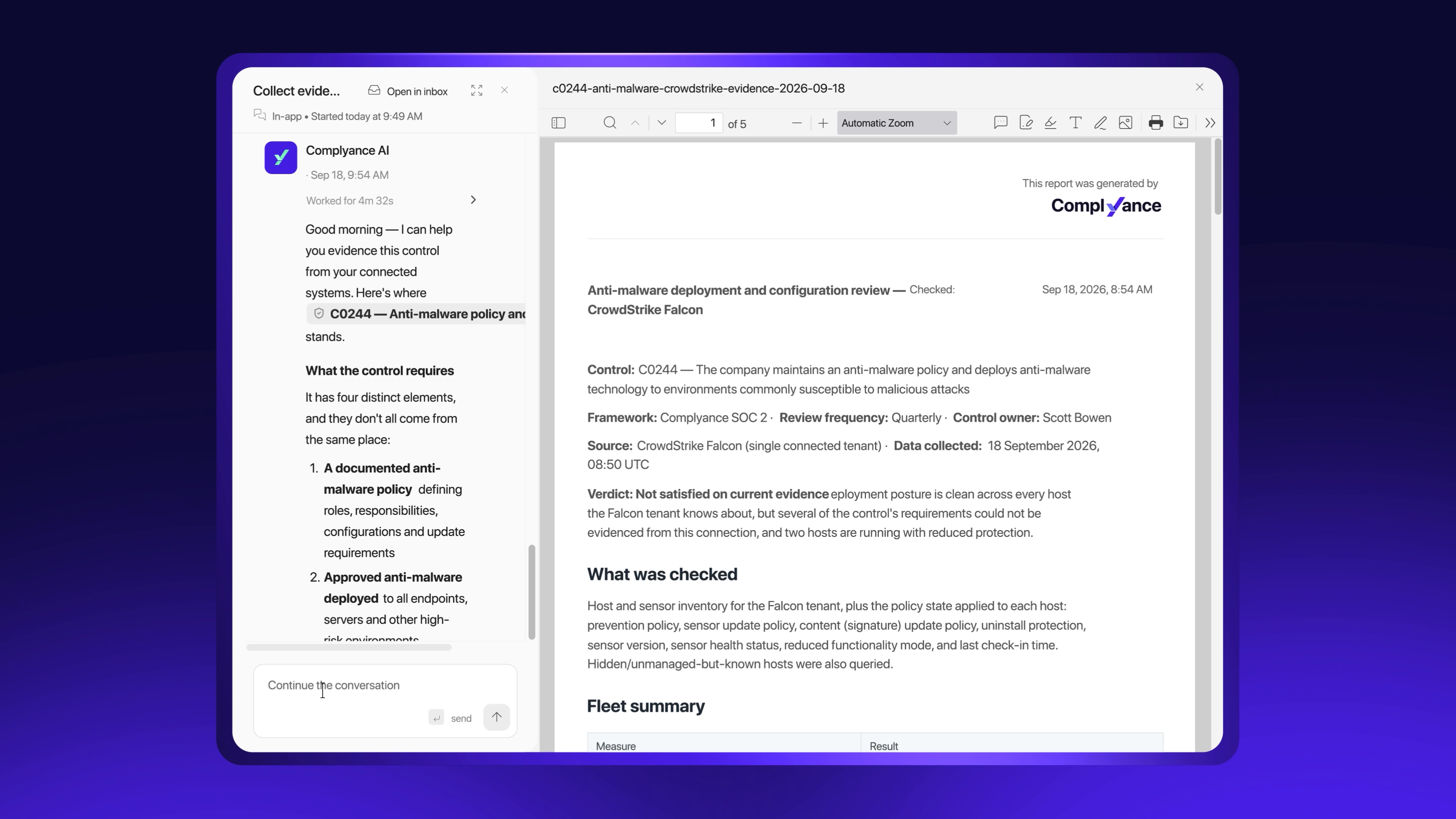
Because it works through what your connected systems can prove first, what's left to request from control owners is only what it couldn't find, with enough time left to close it properly.
How the two work together
The Evidence Suggester goes first, so evidence you already hold gets reused before anything new is requested. The Evidence Collector picks up whatever is still missing, working from the same requirements. Everything it collects becomes available for the Evidence Suggester to match to other controls, so each scheduled collection adds to what the next control can draw on.
That covers the evidence your own team produces. Vendors send evidence too, and it needs the same kind of reading.
Check vendor answers against their evidence with Vendor Risk Specialist
In third-party risk management (TPRM), the questionnaire and its supporting documents usually get read in separate passes. A vendor can answer that customer data is encrypted at rest in every environment while the SOC 2 report it attached scopes a backup environment out. On response 47 of 200, that's easy to miss.
When a business owner then asks whether the vendor is safe to use, the honest answer runs to several pages.
The Vendor Risk Specialist does the first review. It reads each completed questionnaire alongside the supporting documents, flags where an answer and the evidence don't match, and lays out its findings question by question
Ask it for a summary from the submission and it writes one with the vendor's strengths and gaps, the risk drivers and red flags behind its assessment, an inherent risk rating and assurance grade, and a recommended decision with suggested next steps.
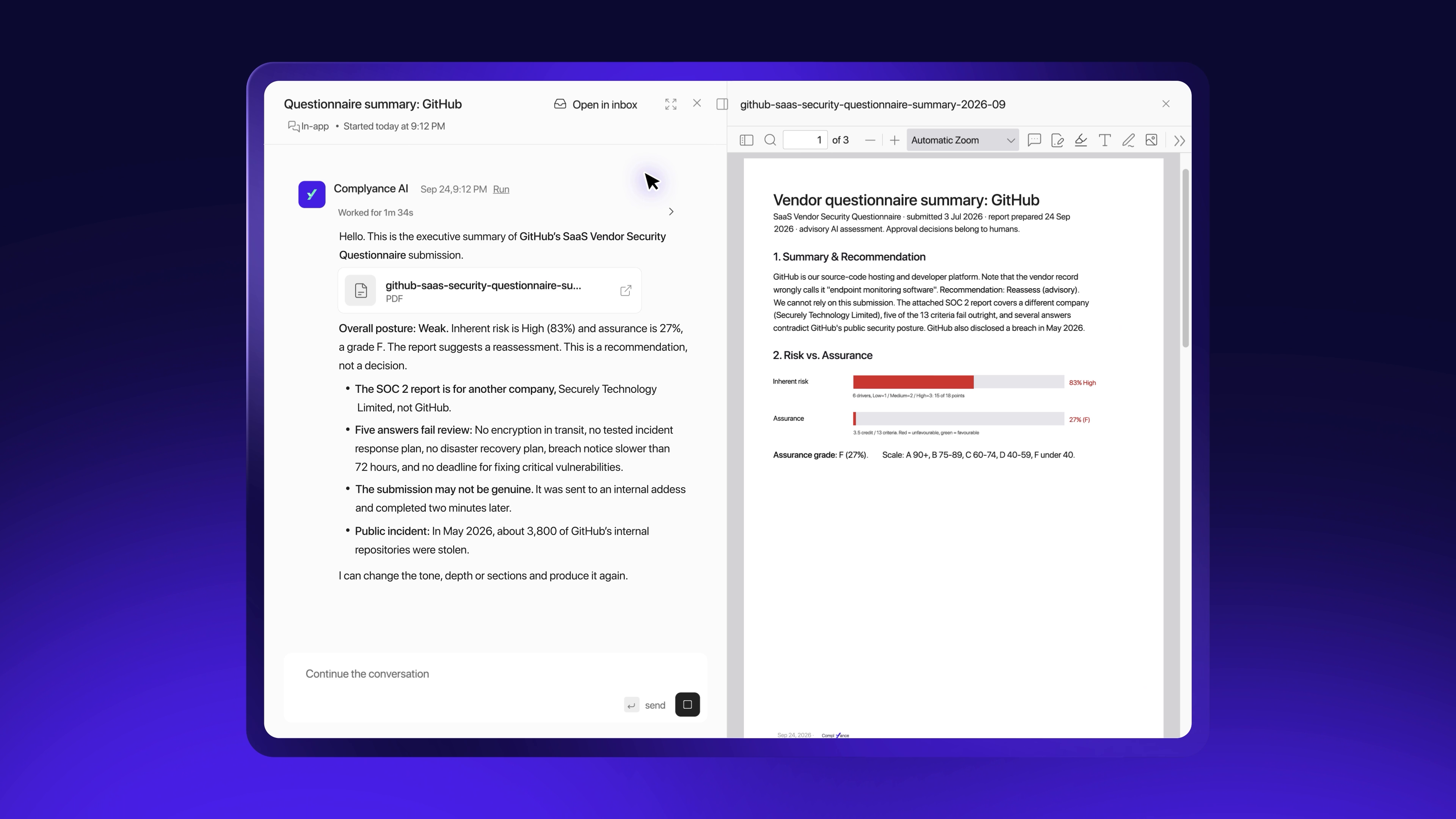
Your team starts from the summary and opens the answers that need judgment. The recommendation comes from the Agent, while the decision to approve, follow up, or escalate stays with your team. Raising a finding as a risk still takes your sign-off. Business owners get an answer they can act on without another walkthrough of the questionnaire. The team can also assess more vendors in depth, more often, without adding headcount.
Your team keeps the final call
Each of these Agents does the first pass and hands the work back with its reasoning attached. Your team sets the criteria, chooses which steps need sign-off, and makes the final call on findings, risks, and vendors.
Less of the week goes to searching, chasing, and cross-checking, with fewer asks going out to the people GRC depends on. That time goes back into what the evidence and the reviews are for: closing gaps and reducing the risk behind them.
See all three Agents working within your own environment → Book a demo


